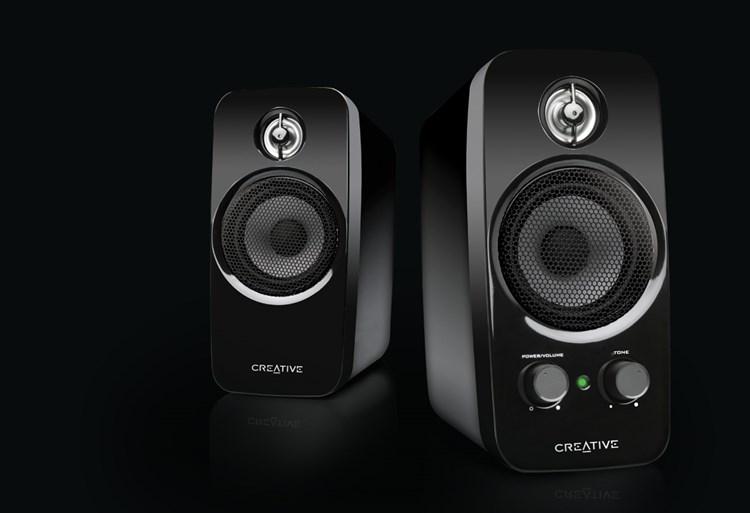
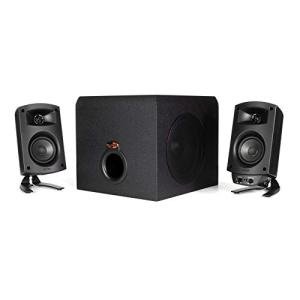
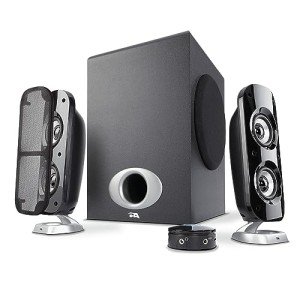

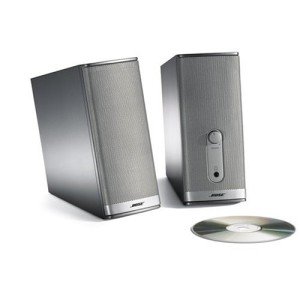
Best PC Speakers for Work, Gaming, and EntertainmentGood PC speakers can transform your computer experience. Whether you’re listening to music while working, hearing directional audio in games, or enjoying movies and videos, the right speakers deliver clear sound, rich bass, and an immersive feel that built-in laptop or monitor speakers simply can’t match.In this complete buyer’s guide, we compare the best PC speakers for different uses, explain key features to look for, and give practical advice to help you choose the right set for your desk setup and budget.Why PC Speakers Make a Big Difference
Built-in computer audio is often tinny, quiet, and lacks bass. Quality external speakers provide:
You can find a wide selection of PC speakers for work, gaming, and entertainment by browsing our Speakers category.Setup Tip
Position speakers at ear level and form an equilateral triangle with your listening position for the best stereo imaging. Keep the subwoofer on the floor for optimal bass response.Disclaimer
The information in this buyer’s guide is for educational and informational purposes only. It is not intended to replace professional audio advice. Individual results may vary. Always check compatibility with your devices before purchasing.Ready to Upgrade Your PC Audio?
Browse our Speakers category today for quality PC speakers. We focus on linking you to the best current deals from trusted retailers so you can enjoy clearer, richer sound while working, gaming, or relaxing.
Built-in computer audio is often tinny, quiet, and lacks bass. Quality external speakers provide:
- Clearer dialogue and music
- Better spatial awareness in games (hearing footsteps or explosions from the correct direction)
- Richer, more enjoyable entertainment experience
- Reduced ear fatigue during long work or gaming sessions
- 2.0 Stereo Speakers
Two speakers (left and right). Simple, clean setup. Best for music and general productivity. - 2.1 Speakers (with Subwoofer)
Two satellite speakers plus a dedicated subwoofer for deep bass. Excellent for gaming and movies. - Surround Sound Systems (5.1 or 7.1)
Multiple speakers for true surround audio. Ideal for immersive gaming and home theater setups. - Soundbars
Compact all-in-one solution. Good for small desks and clean aesthetics.
- Sound Quality: Clear mids and highs, with strong but controlled bass.
- Power Output: Measured in watts – higher numbers generally mean louder and fuller sound.
- Connectivity: USB, 3.5mm aux, Bluetooth, or optical input.
- Controls: Easy volume, bass, and treble adjustment (preferably on the speakers or a wired controller).
- Build Quality: Sturdy cabinets and good drivers for durability and clear audio.
- Office / Productivity Use: Prioritize clear vocals and comfortable volume levels. A simple 2.0 set is often enough.
- Gaming: Look for 2.1 or surround systems with good directional audio and strong bass for explosions and immersion.
- Music and Movies: A 2.1 system with a quality subwoofer delivers the best balance of clarity and depth.
- Desk Space: Choose compact speakers or a soundbar if your desk is limited.
You can find a wide selection of PC speakers for work, gaming, and entertainment by browsing our Speakers category.Setup Tip
Position speakers at ear level and form an equilateral triangle with your listening position for the best stereo imaging. Keep the subwoofer on the floor for optimal bass response.Disclaimer
The information in this buyer’s guide is for educational and informational purposes only. It is not intended to replace professional audio advice. Individual results may vary. Always check compatibility with your devices before purchasing.Ready to Upgrade Your PC Audio?
Browse our Speakers category today for quality PC speakers. We focus on linking you to the best current deals from trusted retailers so you can enjoy clearer, richer sound while working, gaming, or relaxing.